
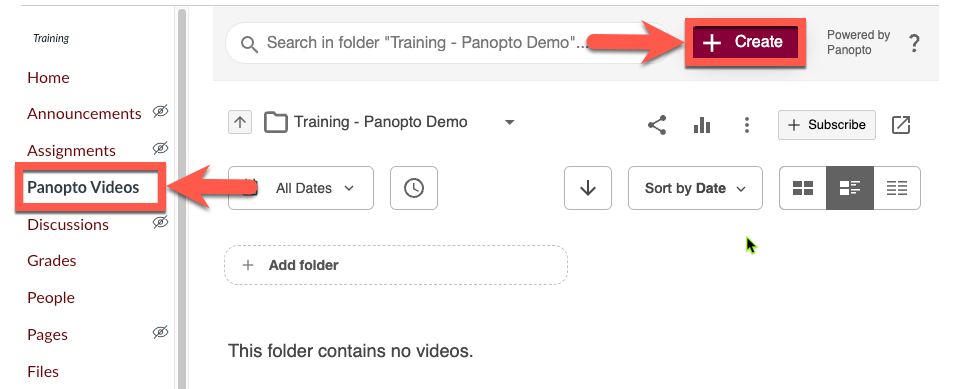
Each course has a Panopto course video folder that is accessible with the Panopto Videos course navigation menu item.
How-to Setup & Use Panopto Course Video Folder
Open a course in Canvas
Locate the Panopto Videos link in your course navigation menu and then click Create.
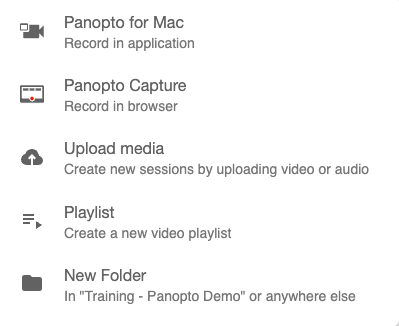
Choose to record, upload, or create a new folder or playlist.
All videos placed in the course folder will automatically be available to your students from your course. This eliminates the need to post each video individually.
Need more details? Learn more about accessing Panopto from a Canvas course.