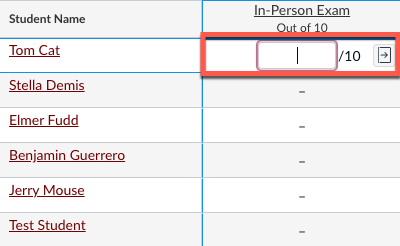
This is a two-step process. First, you must create the exam assignment in Canvas for a column to appear in your Gradebook. Then, you will be able to enter grades in a newly created grade column.
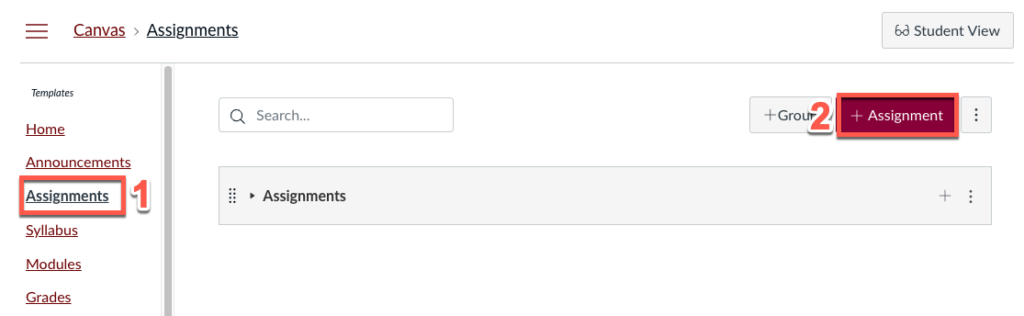
Go to Assignments > +Assignment
Enter and choose the assignment name and settings
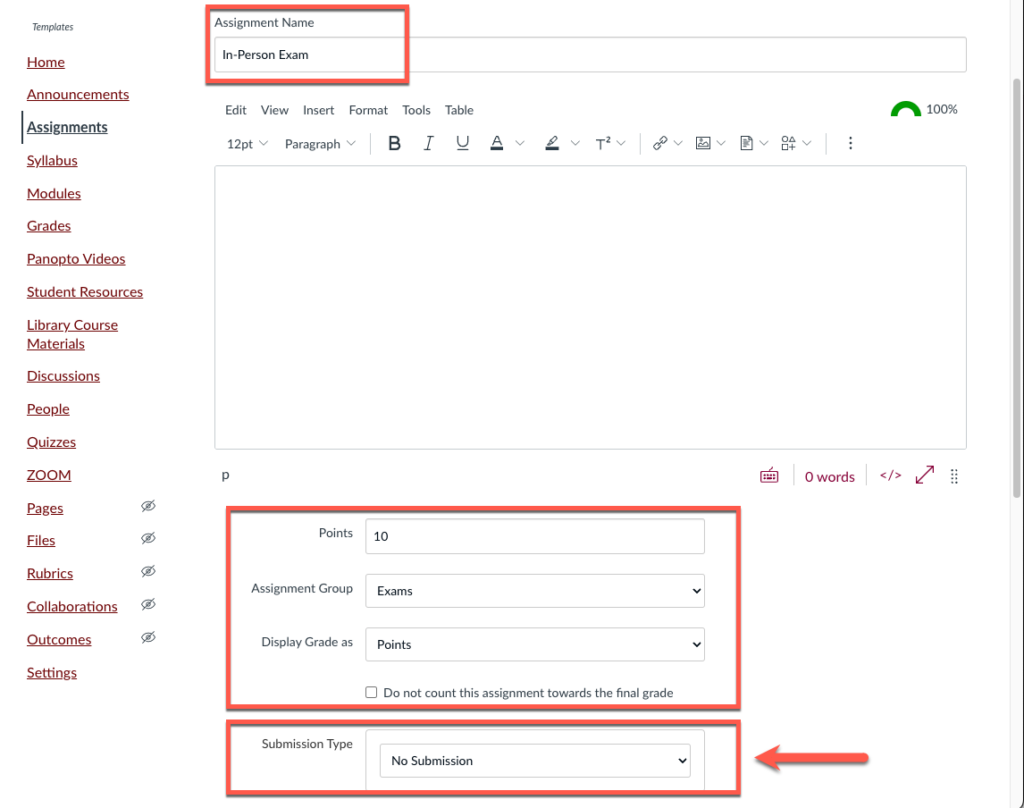
For Submission Type, choose No Submission

Click Save and Publish

Go to Grades to view your Gradebook and the new exam column
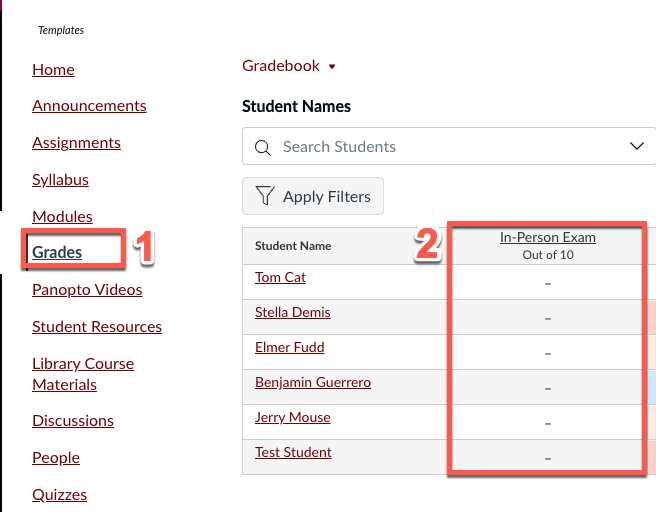
Enter the score manually in each cell for every student