
Log in to your Panopto library and access the video you want to add a quiz to: https://csudh.hosted.panopto.com
How-to Add & Create a Quiz Within a Video
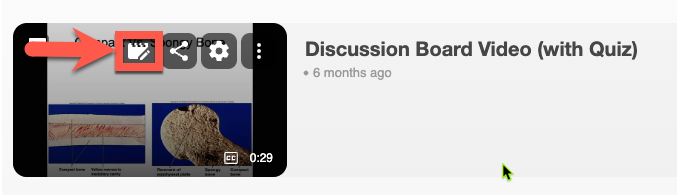
Locate the video and click the Edit icon
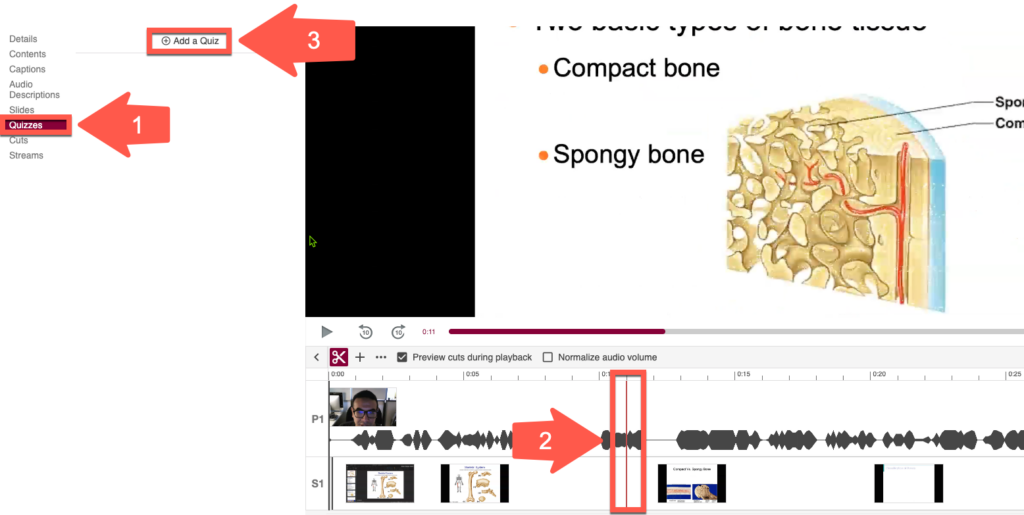
Click (1) Quizzes, (2) Select point in video timeline to add the question(s), (3) Click +Add a Quiz
Need more details? See this page.
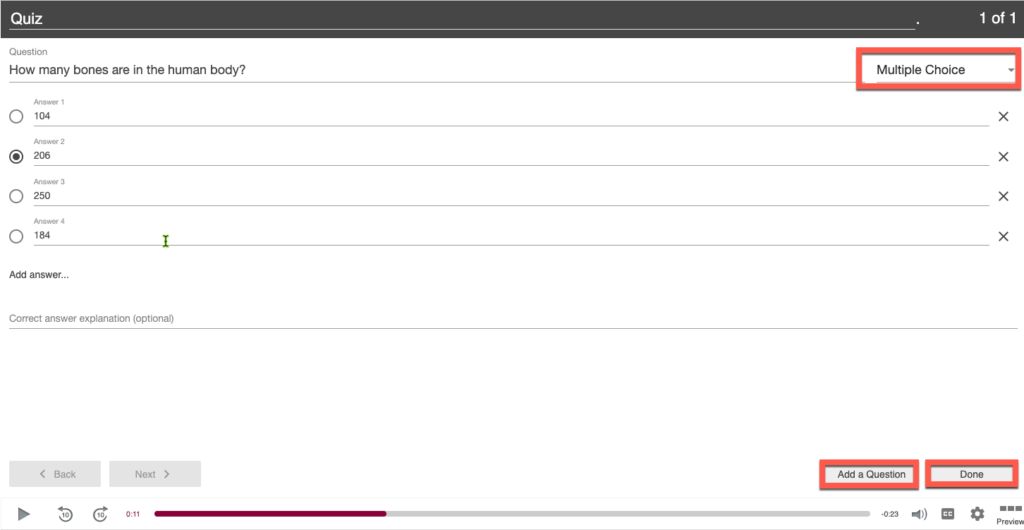
Create your question and answers
- Default question type is Multiple Choice but you can also choose:
- True/False
- Multiple Select
- Fill in the Blank
- Click Add a Question or Done when finished.
- You can add multiple quizzes by selecting a point in the video’s timeline and then click +Add a Quiz again.
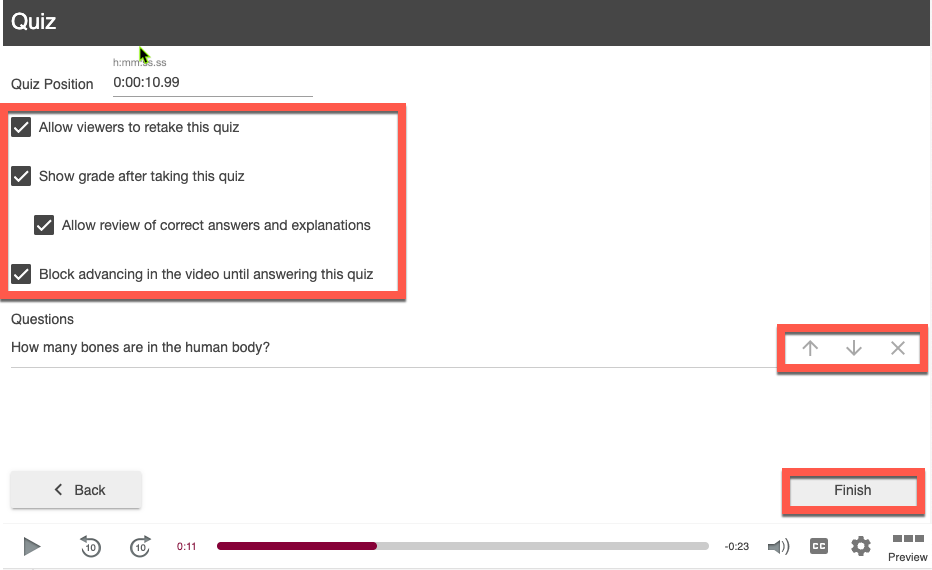
Adjust quiz options or move question order, if needed, then click Finish
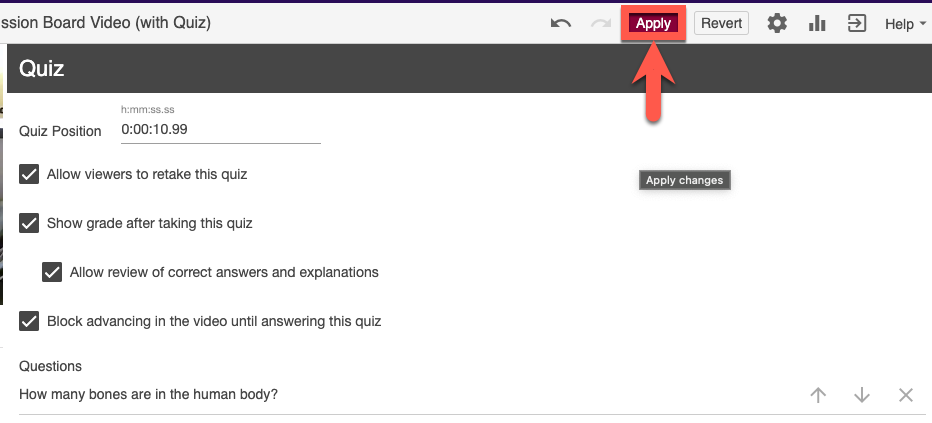
Click Apply to save your quiz
Once students take your quiz, you can view the results. You can also sync quiz scores with the Canvas Gradebook.