How-to Disable Fast Forward or Skipping Video
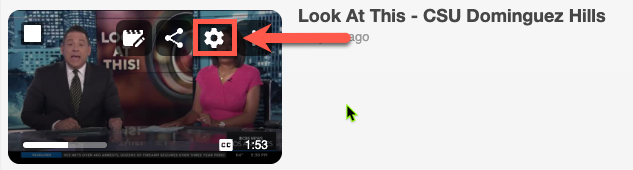
1. Click the cog ⚙️ icon on your video
2. Go to Manage > Seek and variable speed playback behavior
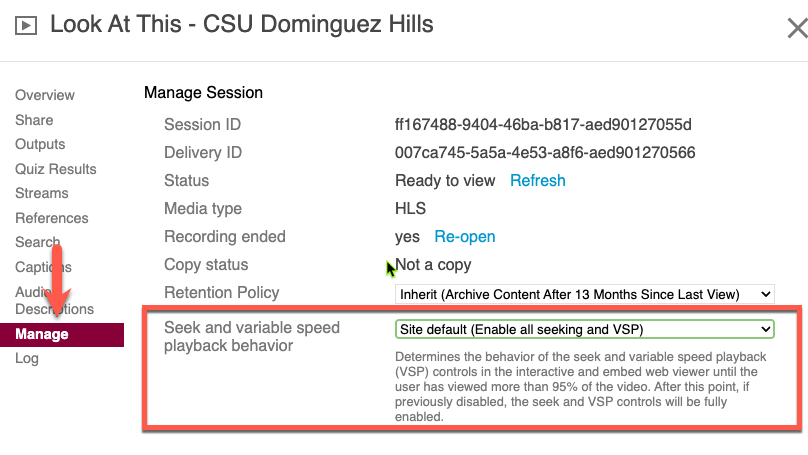
3. Change option to Disable forward seeking and VSP

Need more details? See this page.

Need more details? See this page.