View Video Analytics and Statistics

Need to see which students have viewed your videos? Panopto makes it simple to view analytics and statistics. Just click on the Stats button for each video.

From your library, click the three-dot menu > Stats
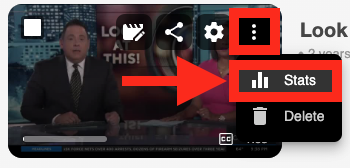
Stats button on Panopto video screen

From the video player, click the Stats button
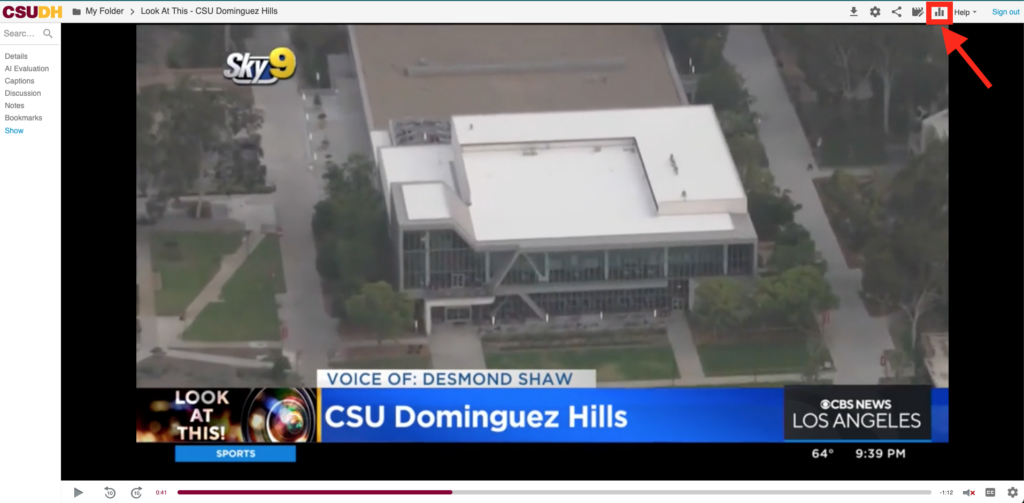
Stats icon

An overview of the session data will appear
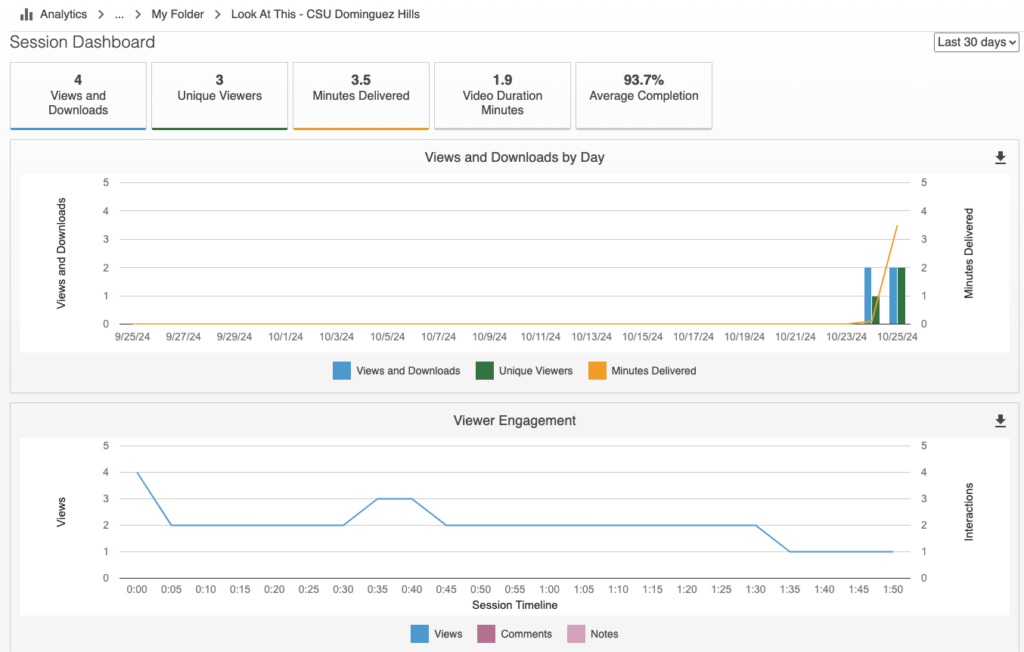
Dashboard displaying session analytics with graphs on views, downloads, and viewer engagement over the last 30 days, including metrics like unique viewers and average completion rate.
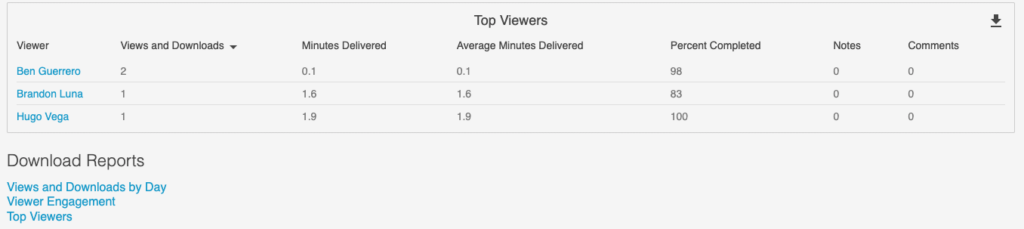
A table lists top viewers: Ben Guerrero, Brandon Luna, Hugo Vega with metrics on views, minutes delivered, average minutes, percent completed, notes, and comments. Download Reports section below.

Need more info on viewing statistics? View this page.