Video Quiz Assignment Scores Not Syncing

Due to a recent Panopto LTI update, an unforeseen issue has occurred where pre-existing Panopto video quiz assignment scores may not automatically sync to the Canvas gradebook.

The current workaround involves simply re-editing the existing Panopto video quiz assignment and re-selecting the video.

Select Assignments in your Canvas course
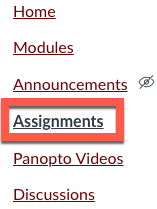
Assignments link in Canvas course menu highlighted

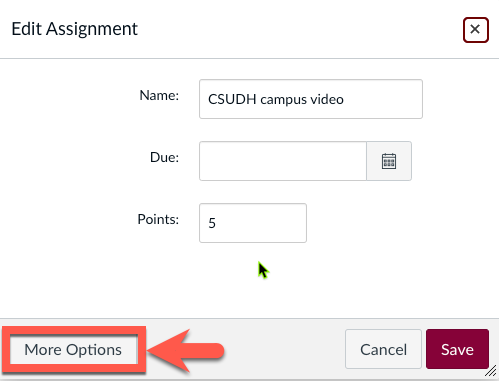
Edit the Panopto video quiz assignment
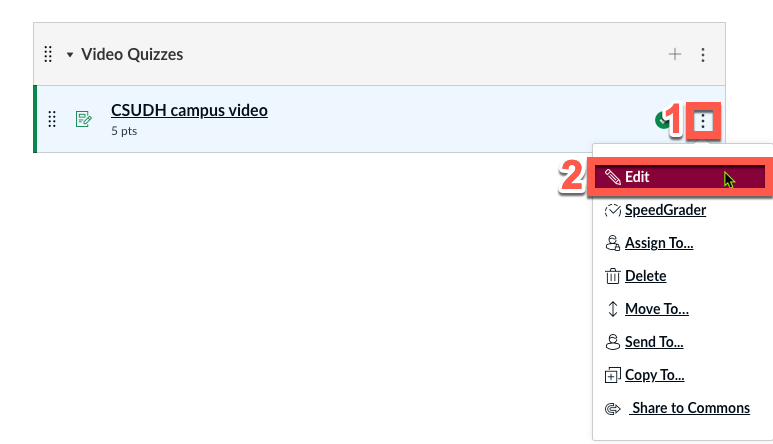
Screenshot of a Canvas interface showing a video quiz titled "CSUDH campus video" with options to edit or manage the quiz.

Select More Options

More options button highlighted

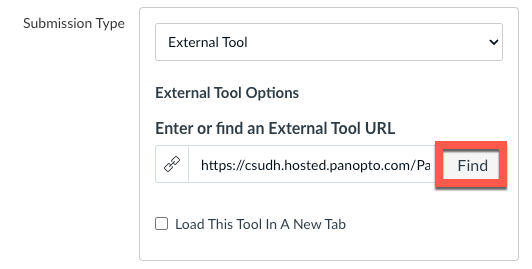
Under Submission Type, click Find

Find button highlighted

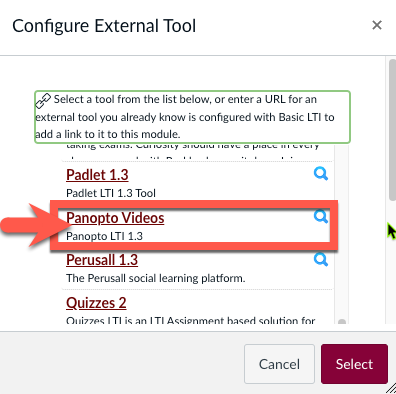
Select Panopto Videos from the list

Panopto Videos selected under Configure External Tool window

Choose Grade on quiz results and click Continue
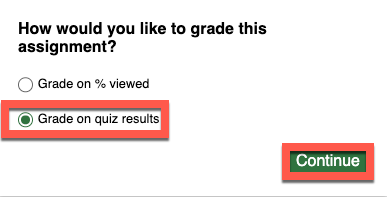
Grade on quiz results selected

Re-select the same video quiz and click Insert when done
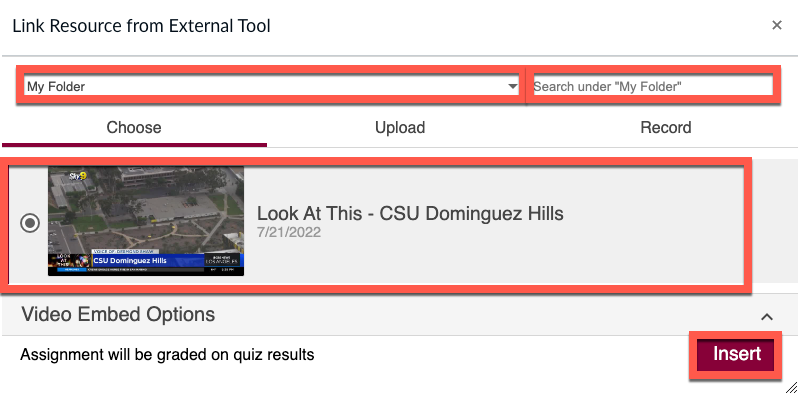
Screenshot of a link resource selection tool. A dropdown menu labeled "My Folder" is at the top. Below, a video thumbnail titled "Look At This - CSU Dominguez Hills" dated 7/21/2022 is highlighted. An "Insert" button is on the bottom right.

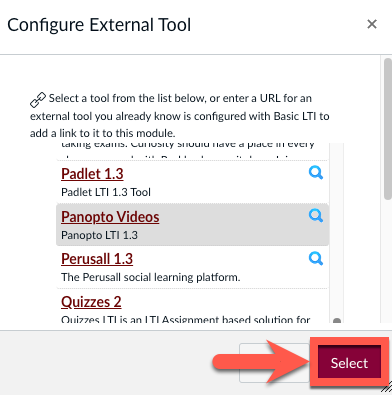
Choose Select from the tool list

Screenshot of a software tool configuration window, showing a list of external tools like Padlet, Panopto Videos, and Quizzes. A red arrow points at a red "Select" button.

Click Save to complete the workaround
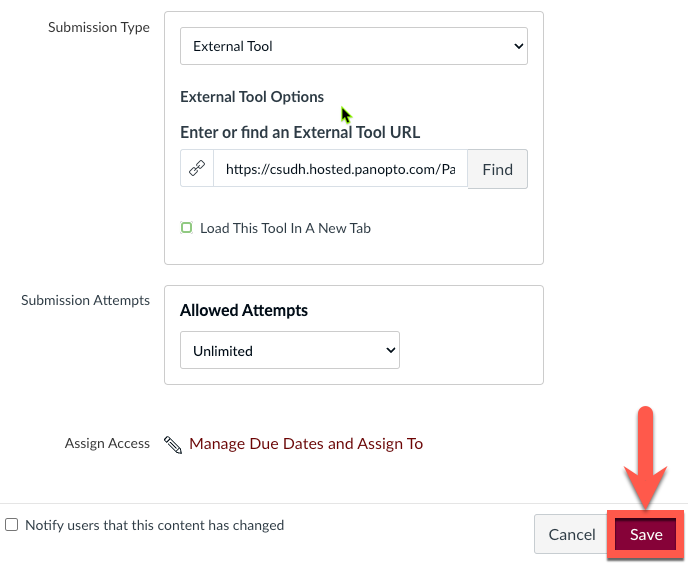
Screenshot of a submission setup page displaying a URL entry field for an external tool, submission attempts options, and a red arrow pointing to the "Save" button.

✅ Done!