Submit Video Assignment

Once you have recorded or uploaded your video, submit it for an assignment in your Canvas course.

Access your video assignment in your Canvas course
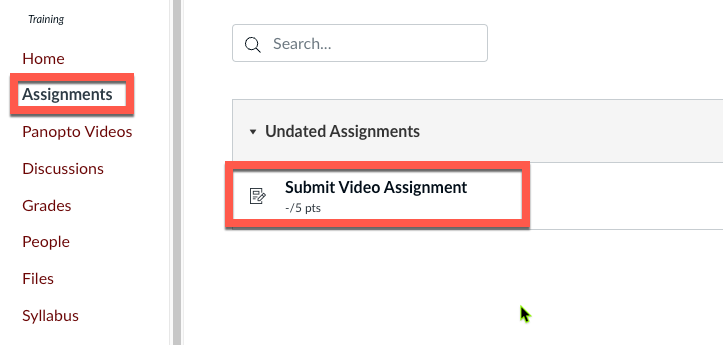
Submit Video Assignment link highlighted

Click the Panopto icon in the text editor
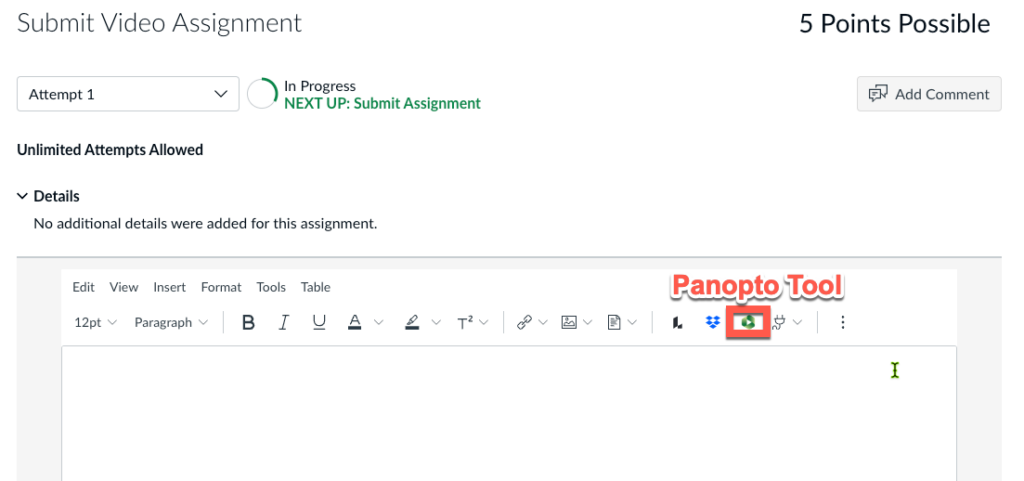
Panopto Tool highlighted in video assignment text editor

Choose video and then click Insert
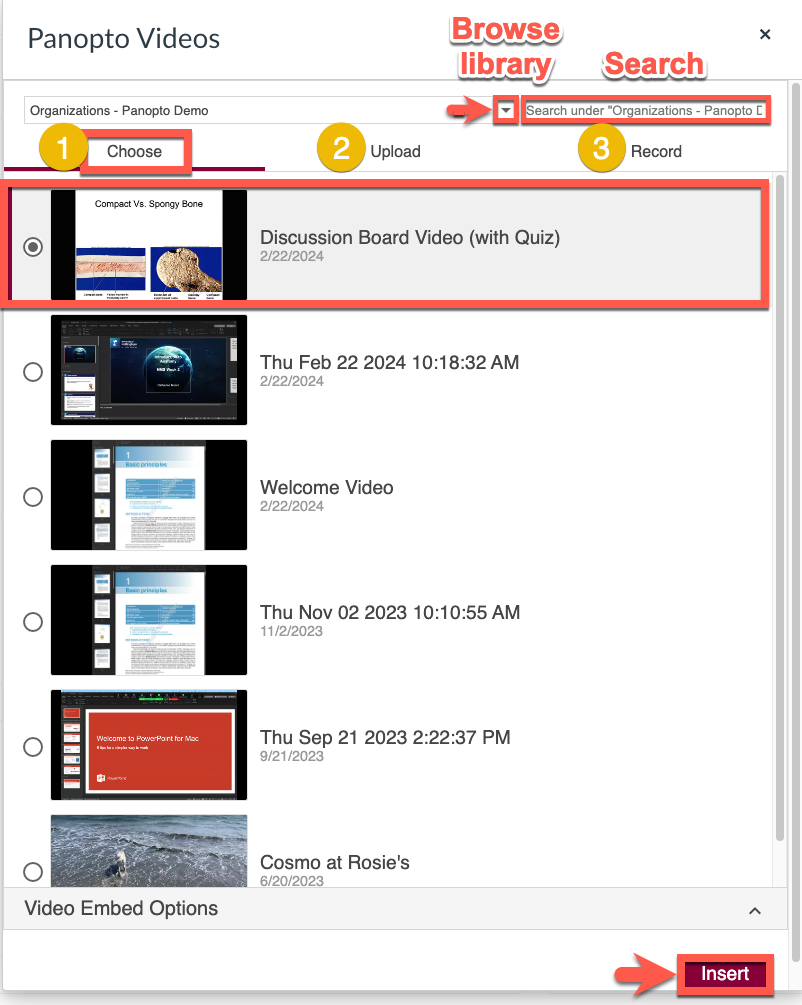
Panopto Videos interface showing video list with selection options. "Discussion Board Video (with Quiz)" is highlighted. "Insert" button at the bottom right.

Need more details? See this page.